.png?width=2347&height=620&name=outlined%20ag%20marketing%20logo%20black%20(1).png)

The Trader PhD Mobile App Discover the Trader PhD App inside-out with our comprehensive guide. Stay...
Ready to tap into the world of ag marketing with Trader PhD? Here's your step-by-step guide on how to download and set up the Trader PhD Mobile App!
Step 1: Download the Trader PhD Mobile App
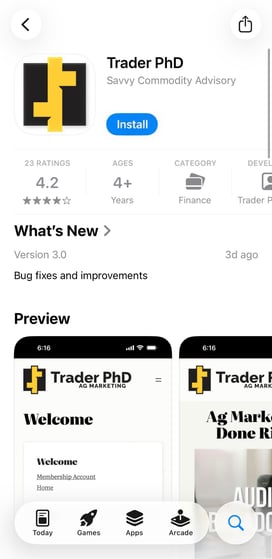
Search the Trader PhD Mobile App in the Google Play Store or Apple Store. Select the Trader PhD LLC application and click "install".

Step 2: Enable Your Push Notifications
Be sure to turn on push notifications to be notified when Trader PhD publishes new content. This feature is beneficial when Trader PhD releases the Market Minute broadcast, comments, or buy/sell signals. You will also be notified when new market news content is released.
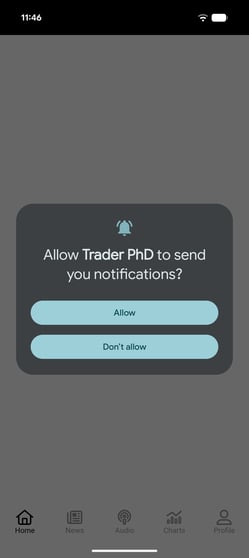
Step 3: Set Up the Trader PhD Mobile App
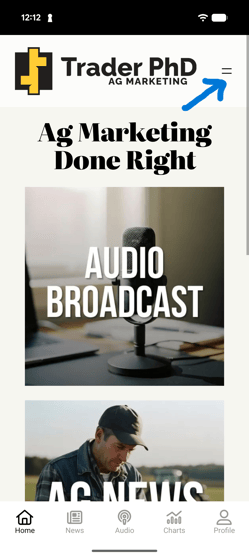
Once you open the Trader PhD Mobile App, click the hamburger menu in the top right corner of the screen.
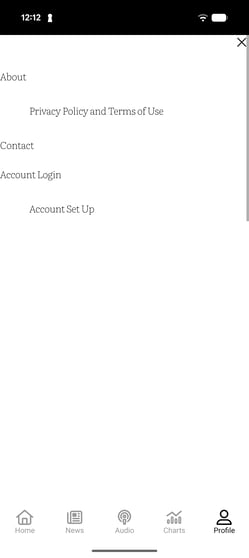
If you were a subscriber before the major app update on March 23, 2026, your app account is already active. Click "Account Login" and the "Lost Password" to reset your password and get logged in.
If you became a subscriber or started a free trial on or after March 23, 2026, you'll need to create a new app account. Create a new account by clicking "Account Set Up."
Step 4: Create Your Account and Update Your Preferences
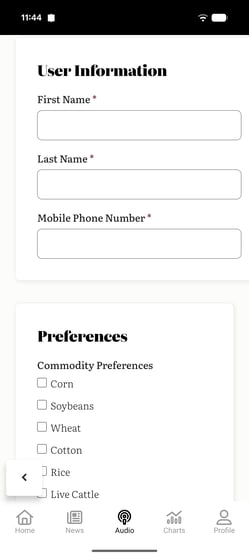
Set up a username, password and email address, then enter your name and the mobile phone number. To select preferences, click the box of each commodity that best fits your operation and want to receive updates for. You can also skip the preferences section and return to select your content preferences in your profile.
Step 5: Explore the App
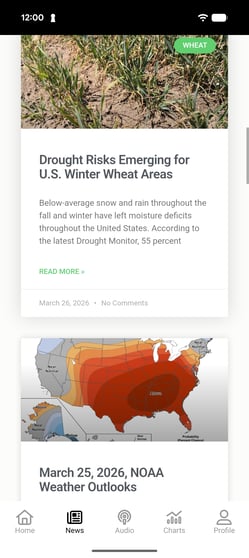
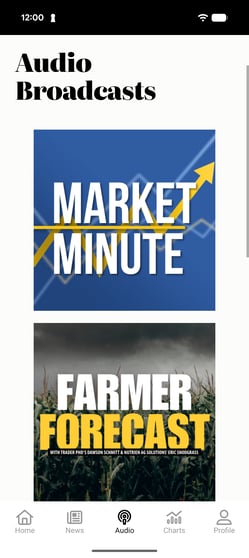
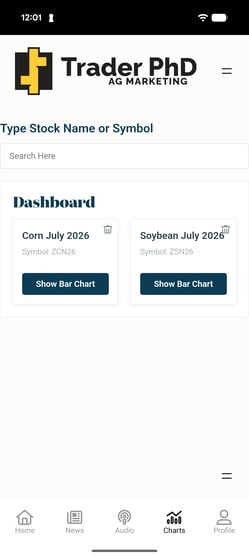
Dive into the Trader PhD Mobile App to view regular exclusive content. The mobile app provides up-to-date commodity news in the News tab. The audio tab stores an archive of previous Market Minute Broadcasts with commentary from Trader PhD CEO and Founder Chad Toyne, as well as Farmer Forecast Interviews, Special Reports, CommodityChat podcast episodes and Commodity Roundup videos. You can also save Barcharts to your dashboard on the Charts tab.
--
PAST PERFORMANCE IS NOT INDICATIVE OF FUTURE RESULTS. FUTURES TRADING INVOLVES SUBSTANTIAL RISK AND IS NOT SUITABLE FOR ALL INVESTORS.